Categories
money

Got iShares ETF? Read this!

Who reads proxy statements? You get them in the mail, loaded with legese, and you normally don’t care. At least I don’t. Today I got one which for giggles I decided to read through.

ETFs are simple: they are pegged against an index (eg S&P 500 or Spain’s Bovespa). The invest money in the companies comprising that index and if it goes up you win, down you lose. They have little overhead because they are managed by computer programs and not a person. There are very few ifs and buts.

I have iShares ETFs. Not many but it every bit counts. Dummy-proof and cheap for lazy folks. iShares is being sold to Blackrock. Fine. What’s not fine is that in the proxy statement they mention an opaque “change of investment goals from fundamental to non-fundamental”.

Reading deeper, I found the meaning: a fundamental investment goal is one that cannot be changed unless all shareholders are notified. For an ETF that seems to me like should be the case. As a plain index investment tool there no need for change and if it happens, I want to know about it. Non-fundamental goals only require board of directors approval. If the board of directors for the fund feels like it, the can change the goal of investing in, say Korea to investing Lesotho. That’s how it looks to me. The only motivation mentioned is that Blackrock, as the new fund manger, wants ‘condistency’ and less mailings, which cost shareholders. As a shareholder I want to know, all the more if you change what are really, my goals.

So I feel like actually returning the proxy vote card. Doubt it will have an effect. But at least I am reacting. Voting. Look into it, maybe you should do the same.

Share
Categories
Computing Consumer iphone Shopping

Photo apps I love on the iPhone

If there was a one compelling feature to my Nokia N95-8GB it was its excellent camera. Photos in 5 megapixel resolution were crisp and nice, and the premise of video was always reassuring to have. Until videos started to stutter and general slow response time made it difficult to snap photos of my kids. The iPhone was not an option until the 3Gs model came out with a just-good-enough 3.2MP camera with video capability. The 2 year plus age difference between phones helped with CPU speed too – video on the iPhone is a reality. And like the N95, the iPhone geotags photos you take. That, intersecting with Nokia developing updates to newer versions of its Symbian OS and abandoning the N95 made my transition away to the iPhone simple. (N95 for sale, btw)

Yes, the iPhone camera is far from perfect. While the touchscreen is a phenomenal interface for setting the focal point for a photo, I would love having a photo timer or a way to reliably take self-photos without fumbling for the touchscreen photo button. Yet the iPhone’s photo apps make it so much better.

For about $10 (if you buy them on sale periods) these apps give you phenomenal versatility. The following is a not comprehensive review of the apps I bought and love.

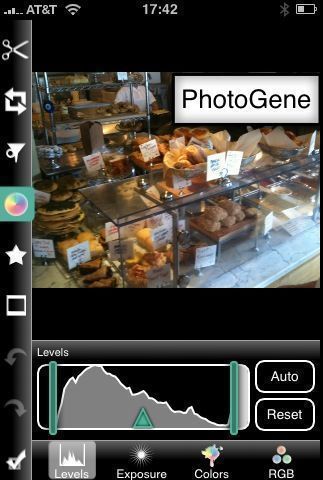
PhotoGene
This app is a basic photo editor with the functionality you would most likely need and then some. This includes trim and rotate, contrast and saturation, basic filters, frames and title insertion. Very useful.

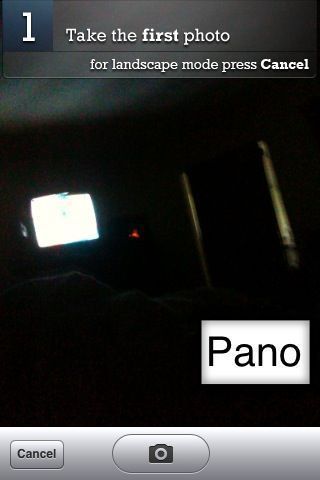
Pano
I love panorama photography. Getting full landscapes in a photo always gives you a much stronger impact and memory of the moment you were there. Pano is a straightforward tool that makes panoramic photos happen. You choose landscape or portrait orientation and start snapping photos from left to right. Overlap is simplified through a ghost image of the last photo you shot that is superimposed on the current view. Saved in full size as a total of its constituent shots, no skimpy resize. Love it!

CameraBag
This one is more of a play on photos that need extra help moving them from just bad to artistic. You can choose from 8 effect bundles to apply to your photo, including Lomo-like, 60s and 70s camera effects and others. Lots of fun mutilating iPhone camera mishaps or just any photo.
Fun.

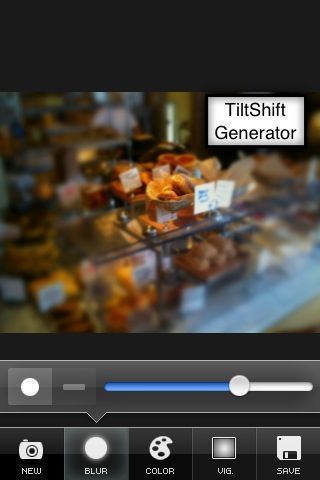
TiltShift Generator
TiltShift photos make real photos look like they were actually toy or model images. For the real thing you could plunk hundreds of dollars for a tilt shift lens. There are also Photoshop tutorials on faking it and now there’s an iPhone app. It teaches you how to use its settings, tweaking photos to get the macimum effect. Well designed use of the touchscreen and plenty fun to use.

Which ones do you recommend?

Share
Categories
Computing General iphone

Blogging on iPhone

Blogging from the iPhone.

Share
Share